All TV Service Menu Code

Electronic Repair, Manuals, Reference and TV Factory service mode

  • Home
  • Database
  • LCD
  • LED
  • CRT
  • Plasma
  • DLP
  • FORUM
  • Upload
  • Download
  • Join
  • Rss
  • Mobile
  • Grundig TV Hotel mode
  • Grundig Chassis 22.1 TV Service menu
  • Grundig Chassis D6 TV Service menu
  • AKAI TV 2020 UK TV Service Menu
  • AIWA VX-G140 TV Service Menu
  • Samsung HL67A750A1FXZA TV Service Menu
  • AKAI 2021-T Euro TV Service Menu
  • JVC LT-32C50BU TV Service menu
  • AIWA SE2130 TV Service Menu
  • SINGER 21M63 SXTC TV Service Menu

Sharp LC-32M400M LCD TV Service menu

Sharp | Author | February 23, 2015
Sharp AQUOS LC-32M400M LCD TV Service mode
Television power off ( do not turn to standby mode )
TV off by unplug the Power Cable from main power source.
Make sure no electric input to your tv set
Press Power, Volume (-), TV input button and hold the 3 key you pressed (Hold all the key together)
Re plug in the power cable to main power source, "Binary bit detected signal" Shown.
after that release the power button and keep hold the volume (-) and TV input button.
The K letter will shown on the screen and you can release the both button, you enter to service mode.
Press Channel (-) and VOL (-) button. Service menu will open on the screen
Use remote control to set the television.

TV Service menu Sharp LC-32M400M LCD

Photo credit to www.vacationhomerentals.com


SHARP LC-40LE810UN LCD TV Service Menu

Sharp | Author | February 22, 2015
SHARP LC-40LE810UN LCD TV
SHARP LC-46LE810UN LCD TV
SHARP LC-52LE810UN LCD TV
SHARP LC-60LE810UN LCD TV


Entering and exiting the adjustment process mode
1) Before entering the adjustment process mode, the AV position RESET in the video adjustment menu.
2) At the state TV is turned on, touch the power key for 5seconds.
NOTE: Picture will disappear when you touch the power key, but keep touching the power key.
3) When the center icon LED blinks, release your finger from the power key.
4) Next, touch the power key with “VOL (-)” and “INPUT” keys at the same time.
TV will turn on and the letter “<K>” appears on the screen.
5) Next, touch the “VOL (—)” and “CH (down)” keys at the same time.
6) When the center icon LED turns on, release your finger form the keys.
(The “VOL (—)” and “CH (down)” keys should be pressed and held until the display appears.)
Multiple lines of blue characters appearing on the display indicate that the unit is now in the adjustment process mode.

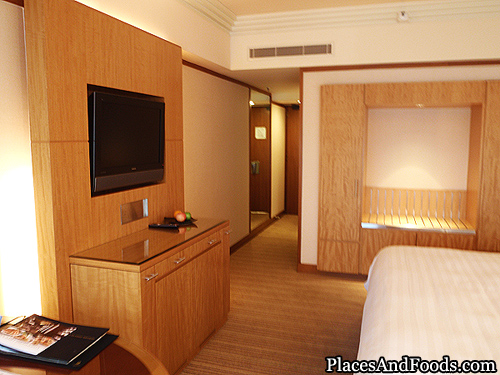
TV Service Menu SHARP LC-40LE810UN LCD
Photo credit to www.placesandfoods.com

When you fail to enter the adjustment process mode (the display is the same as normal startup), retry the procedure.
7) To exit the adjustment process mode after the adjustment is done, unplug the AC cord from the outlet to make a forced shutdown. (When the
power was turned off with the remote controller, once unplug the AC cord and plug it again. In this case, wait 10 seconds or so before plugging.)
CAUTION: Use due care in handling the information described here lest your users should know how to enter the adjustment process mode. If the
settings are tampered in this mode, unrecoverable system damage may result.
4. Remote controller key operation and description of display in adjustment process mode


Sharp LCD TV Service Menu

Sharp | Author | May 31, 2011
Sharp LCD TV No Power and the Power LED is flashing.

EXAMPLE CASE Below

Number: LCD TV-269 Model(s): LC52E77UN(A)

LCD Television Sharp Electronics Corporation

Services and Solutions

Subject: No Power and Power LED is flashing 1X

Symptom: TV will not turn on and front indicator LEDs are flashing. TV may in some cases come on

and exhibit flashing backlights. Most commonly occurs when the TV is used for the very first time.

Cause: One or both of the Inverter Units is not fully seated.

(RUNTKA528WJN1 TOP / RUNTKA529WJN1 BOTTOM)

Solution: Properly seat the Inverter Unit (s) fully into a locked position.

Steps to Repair:

Refer to disassembly procedure for Rear Cabinet as described in Service Manual

Examine both Inverter Units to see if they are improperly installed.

If either or both Inverter Units are not properly seated please apply minimal force onto PWB, nearest the

clips, to lock it into place.

Steps to Reset: Hold in .. buttons on the TV, Continue to hold in the buttons and plug in the TV TV will turn on by itself and a small “K” will now be present on the screen in the upper left Release both buttons

Simultaneously press ......... one time on the TV Service Menu should now be showing

If “LAMP ERROR” shows other than a Zero please reset it (Refer to Service Menu Detailed Instructions)

If Monitor Error Cause is other than ZERO please reset it (Refer to Service Menu Detailed Instructions)

Perform Industry Init (Refer to Service Menu Detailed Instructions)

Unplug the TV upon completion of Industry Init (green screen)

Wait 30 seconds and plug in TV

Sharp LCD TV Service Menu

Sharp LCD TV Service Menu

Photo credit : wikipedia.org

Steps to Test:

15) Check the TV for functionality and POWER ON / OFF several times

16) Unplug the TV after testing is successful

17) Repeat steps 4 thru 9 to ensure that no errors are present

Service Menu Detailed Instructions

Lamp Error Reset

Service Menu screen should be showing on the screen

Using the remote control, press the Down Select .......... button one time (button is ........)

The upper left corner of the service menu screen should indicate “2/41”

Use the ................ button on the remote to highlight the line “LAMP ERROR RESET OFF”

Use the Volume Up button on the remote to change the “OFF” to “ON” and press ENTER button

The error is now reset

Monitor Error Cause Reset

Service Menu screen should be showing on the screen

Using the remote control, press the .......... button five times (button is ..........)

The upper left corner of the service menu screen should indicate “........”

Use the Channel Down button on the remote to highlight the line “MONITOR ERROR CAUSE RESET OFF”

Use the Volume Up button on the remote to change the “OFF” to “ON” and press ENTER button

The error is now reset

Industry Init

Service Menu screen should be showing on the screen

Using the remote control, press the Down Select Arrow button one time (button is under ENTER)

The upper left corner of the service menu screen should indicate “2/41”

Use the Channel Down button on the remote to highlight the line “INDUSTRY INIT OFF”

Use the Volume Up button on the remote to change the “OFF” to “ON” and press ENTER button

The line “INDUSTRY INIT ON” will change to “//////////////” briefly

When Industry Init is complete the screen will be green


Sharp TV Service Menu DV-5401S

Sharp | Author | January 24, 2010
Collection of All TV Service Code.
Service Menu Sharp DV-5401S
CTV Service Mode
Locate place for 2 buttons on local keyboard
(main board)of Sharp DV-5401S TV S754-MODE and S755-PRESET.
Enter: short S754 (-SERV-). Commands:
CH +/-. Store: short S755.
Siemens FS369M4 CS9409 CTV Service Mode
Info Center' --> 'Special Functions' --> 'Service'
--> Code Number 089
Sharp DV-5401S


Sharp 54AT-15SC

Sharp | Author | January 23, 2010
Collection of All TV Service Code.
Service Menu Sharp 54AT-15SC
CTV Service Mode
Press and hold buttons VOL- and PR+ on the
local keyboard and then switch on with main
switch of Sharp 54AT-15SC . Store press 'POWER' button of Sharp 54AT-15SC .


Sharp Euro-DS1

Sharp | Author | January 22, 2010
Collection of All TV Service Code.
Service Menu Sharp
Euro-DS1 CTV Service Menu
Short conntacts 2 & 6 on Digi Modul Service
Slot and then press button 'MODE' on RC.
Store: (romb-symbol) on RC. Exit:
standby, switch off, switch on Sharp
Euro-DS1, remove short.


Sharp LC-13AV4U (LCD)

Sharp | Author | January 21, 2010

Service Menu Sharp LC-13AV4U (LCD)
Unplug the Sharp LC-13AV4U TV, press VOL-and simultaneously INPUT and connect the Sharp LC-13AV4U TV, see the letter K on the screen, then press VOL + and CH - of Sharp LC-13AV4U TV.

Collection of All TV Service Code.


Sharp TV Service Menu 63CS-03SN

Sharp | Author | January 20, 2010
Collection of All TV Service Code.
Service Menu Sharp 63CS-03SN
To switch the TV off, press the keys in the front of channel + and VOL --
simultaneously hold, press the switch button, and keep
pressed until the Service Menu apear. Using the CHANNEL + / --
items are selected, by pressing VOL + / - adjusts the value. To
save the new values press the STAND-BY button on the remote control of Sharp 63CS-03SN television.


Sharp TV Service Menu 25G M60

Sharp | Author | January 19, 2010
Collection of All TV Service Code.
Service Menu Sharp 25G M60
Look for the IC2001 (or IC001), nearly two points are marked TP2001 and TP2002,
shorts for a second.
To select the item (S)- channel + and Channel.
To change the data (D) VOL + and VOL-.
To exit, press POWER on and swicth off the Sharp 25G M60 TV.


SHARP WONDER

Sharp | Author | January 12, 2010
Collection of All TV Service Code.
SHARP WONDER
SHARP UNIVERSE
Press menu on remote control, select feature, select blueback, activate blueback
then press -/-- for 6 second on SHARP WONDER remote control, enter the code 1, 3, 7, 9.
Service mode will open for you, edit the value by pressing pro +/- and vol +/-
Exit service mode press v +.


Sharp TV Service Menu 63CS-03S

Sharp | Author | January 09, 2010
Collection of All TV Service Code.
Service Menu Sharp
63CS-03S CS CTV Service Menu
Press and hold buttons VOL- and PR+ on the local keyboard and then switch on with main switch. Factory mode will opper for you.
Change value press vollume +/- and select press pro +/-
Store press 'POWER' button of sharp 63CS-03S television.


Sharp 4BSA TV Service Menu

Sharp | Author | January 02, 2010
Collection of All TV Service Code.
Service Menu Sharp
4BSA CTV Service Menu
Short conntacts 2 & 6 on bord TB connector
and press button 'MODE' on remote control of Sharp television. Remove short your do before.
Store: press auto. Exit: press 'MODE'.

Sharp 4BSA TV Service Menu mode
Before you entering Sharp factory mode to change any value on the factory service mode, please write down all the original factory settings. tvservicemenu are not responsibility for any damage, data error and unwanted effect after using our service code and information on these page.
Original remote or universal remote control needed as a tools to program the factory mode (Recommended use the original remote control).
If the code above do not match to your television please browse another service code in sitemap page.

Service Menu Sharp 4BSA TV

Sharp 4BSA TV Service Menu

Photo credit : ecozer.com


Sharp 13J-M100 TV Service Menu

Sharp | Author | April 05, 2009
Sharp 13J-M100 TV Service mode
Before you entering Sharp factory mode to change any value on the factory service mode, please write down all the original factory settings. tvservicemenu are not responsibility for any damage, data error and unwanted effect after using our service code and information on these page.
Original remote or universal remote control needed as a tools to program the factory mode (Recommended use the original remote control).
If the code below do not match to your television please browse another service code in sitemap page.

Sharp 13J-M100 TV Service mode
Unplug the TV from the wall outlet, press CHANNEL up and volume down, hold the key & plig in th wall outlet. To reset to default values, press both buttons again for 7
second. Select the item press channel up and channel down, to change data (D) volume up and volume down to exit, press POWER on and off the TV.
Service menu Code

Service Menu Sharp 13J-M100 TV

Sharp 13J-M100 TV Service Menu

Photo credit : dreamhomedsgn.blogspot.com


Universal Remote

  • Chunghop RM-168GS code List
  • iWave Supersize Universal Remote
  • Automator URC 200 CD Players
  • Asaki Universal Remote for DVD
  • AMAZONE Universal Remote for DVD

CRT Television

  • Zenit TV Service Menu
  • Hisense HSM 515AV TV Service Menu
  • Grundig CUC 7301 TV Service menu
  • SIERA SG1420 TV Service Menu
  • RCA G27684 TV Service Menu


Plasma Television

  • Samsung HCH 551WX TV Service Menu
  • Beko L5C TFT LCD TV Service Menu
  • Beko LCD PLASMA L6E TV Service Menu
  • Beko Plasma TV Service Menu
  • Samsung Plasma TV Service Menu

LED Television

  • How to enter to Sansui TV Service Menu
  • LG 42LB62 LED TV Service Menu
  • Sanyo LED LCD TV Service Menu
  • How to enter to Telefunken TV Service Menu
  • Konka LED TV Service Menu

LCD Television

  • Hisense LCD 19V87 TV Service menu
  • Insignia NS LCD37HD-09 TV Service menu
  • Hisense K15 Series TV Service Menu
  • Hisense MT5380 TV Service menu
  • Grundig 42PX TV Service Menu


  • FORUM
  • Announce
  • Claim
  • Contributor
  • Universal Remote
  • Terms of Service
  • Privacy Policy
  • About
  • Contact
© 2008 - tvservicemenu. All Rights Reserved